
IVR Converter Input Fields Explained
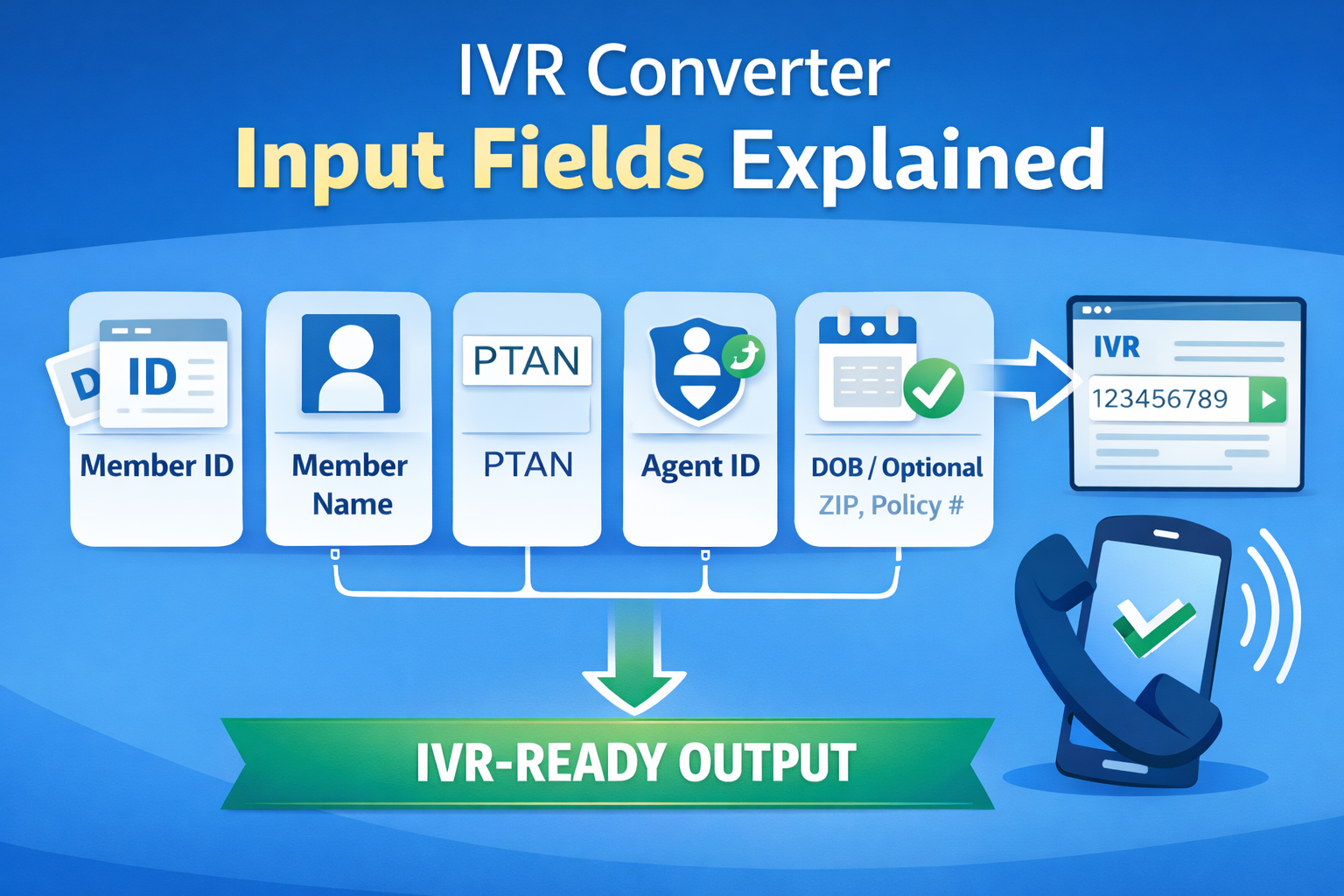
To successfully convert insurance information into an IVR compatible format, it is important to understand the input fields used in the IVR Converter Tool. Each field represents a specific type of data required by insurance provider IVR systems such as Medicare, BCBS, or Railroad Medicare.
Since the tool converts one input field at a time, selecting and entering the correct data is essential for accurate IVR output.
Medicare ID (MBI)
The Medicare Beneficiary Identifier (MBI) is a unique ID assigned to each Medicare beneficiary.
What it is
It replaces the old SSN-based Health Insurance Claim Number (HICN) and is now used for identification in Medicare systems. MBIs are 11 characters in length, containing numbers and uppercase letters (omitting letters S, L, O, I, B, Z to avoid human confusion).
Why IVR Systems Require It
Insurance IVR systems use the MBI to locate beneficiary records. Entering the correct Medicare ID ensures that the IVR system can access the right member information without errors.
Member Name
This field includes the beneficiary’s full name as registered with the insurance provider.
Formatting Considerations
- •Enter the name exactly as it appears in insurance records
- •Avoid extra spaces or special characters
- •Use correct spelling
Common Mistakes
- •Reversing first and last name
- •Using nicknames instead of legal names
- •Adding unnecessary punctuation (e.g. periods, hyphens, or commas)
Even a small formatting mistake may cause IVR voice recognition or DTMF tone decoders to reject the input.
PTAN
The Provider Transaction Access Number (PTAN) is used to identify healthcare providers within Medicare systems.
Purpose in IVR Workflows
IVR systems may require PTAN to verify provider enrollment or retrieve claim related data. The Medicare MAC requires the PTAN alongside the National Provider Identifier (NPI) and the last 5 digits of the provider’s Tax ID Number (TIN) to authorize access to claim status menus.
NPN / Agent Identifiers
The National Producer Number (NPN) or agent ID is used to identify insurance agents.
When Required vs Optional
Some IVR systems require agent identification for authentication, while others may not request it during the verification process.
Optional Insurance Fields
Depending on the selected insurance type, additional information may be required such as:
These fields help IVR systems confirm member identity and retrieve accurate records.
Why Accurate Input Matters for IVR Output
IVR systems follow strict formatting rules when processing data. Entering incorrect or incomplete information may lead to:
- ✕Failed verification attempts: The system cannot match the beneficiary and hangs up or routes to a representative queue.
- ✕Incorrect system responses: The automated response gives invalid eligibility status or errors on claim lookups.
- ✕Delays in retrieving member data: Extended call durations increase staff overhead and cycle times.
Using accurate input ensures that the IVR Converter generates the correct IVR-ready output for the selected insurance provider.
Ready to convert insurance values?
Convert Medicare IDs, PTANs, and Member Names into phone keypad star-code sequences instantly with our free converter.
Hassan is a healthcare revenue cycle professional and software designer dedicated to creating open-access, deterministic utilities that eliminate manual billing inefficiencies and telephone keypad conversion headaches.
Related Blog Posts & Calculators
How to Use the IVR Converter Tool
Learn how to convert Medicare, BCBS, and Railroad insurance values into IVR keypad format.
Clinical CalculatorGlobal Surgery Calculator
Search 10,000+ CPT codes to determine CMS 0, 10, or 90 day post-op global periods.
Billing CalculatorTimely Filing (TFL) Calculator
Calculate precise payer timely filing deadlines across 30+ major commercial and government payers.